StreamStudio: Exploring Video Authoring with
Streaming Autoregressive Generation
StreamStudio demonstration
TL;DR: How can interactive streaming video generation reshape AI video authoring?
StreamStudio introduces a new AI video authoring paradigm with frame-level control. Instead of submitting a prompt and waiting for a finished clip that may miss your intent, watch your video emerge frame by frame, steer what happens next at any time, and continue generation from any earlier frame.
An interactive authoring workflow
Start with a visual idea, watch it come to life, and shape the next action as the video unfolds. Extend a shot, revisit an earlier moment, or edit its appearance while keeping alternative versions available.
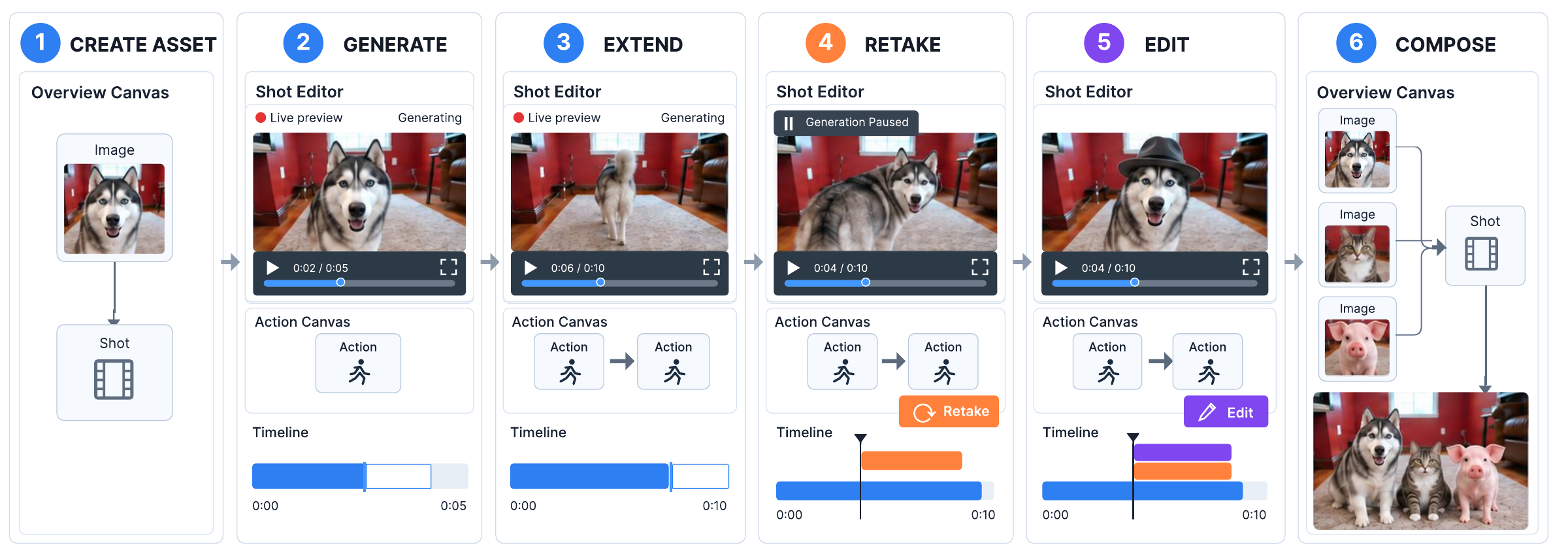
From a reference image to an evolving story. The workflow moves between the Overview Canvas for assets and shots, and the Shot Editor for generation, continuation, retakes, and edits.
The StreamStudio interface
The Shot Editor brings generation, preview, and editing into one workspace. As new frames arrive, clips grow on the timeline and the Shot Canvas records how each continuation connects to the others.
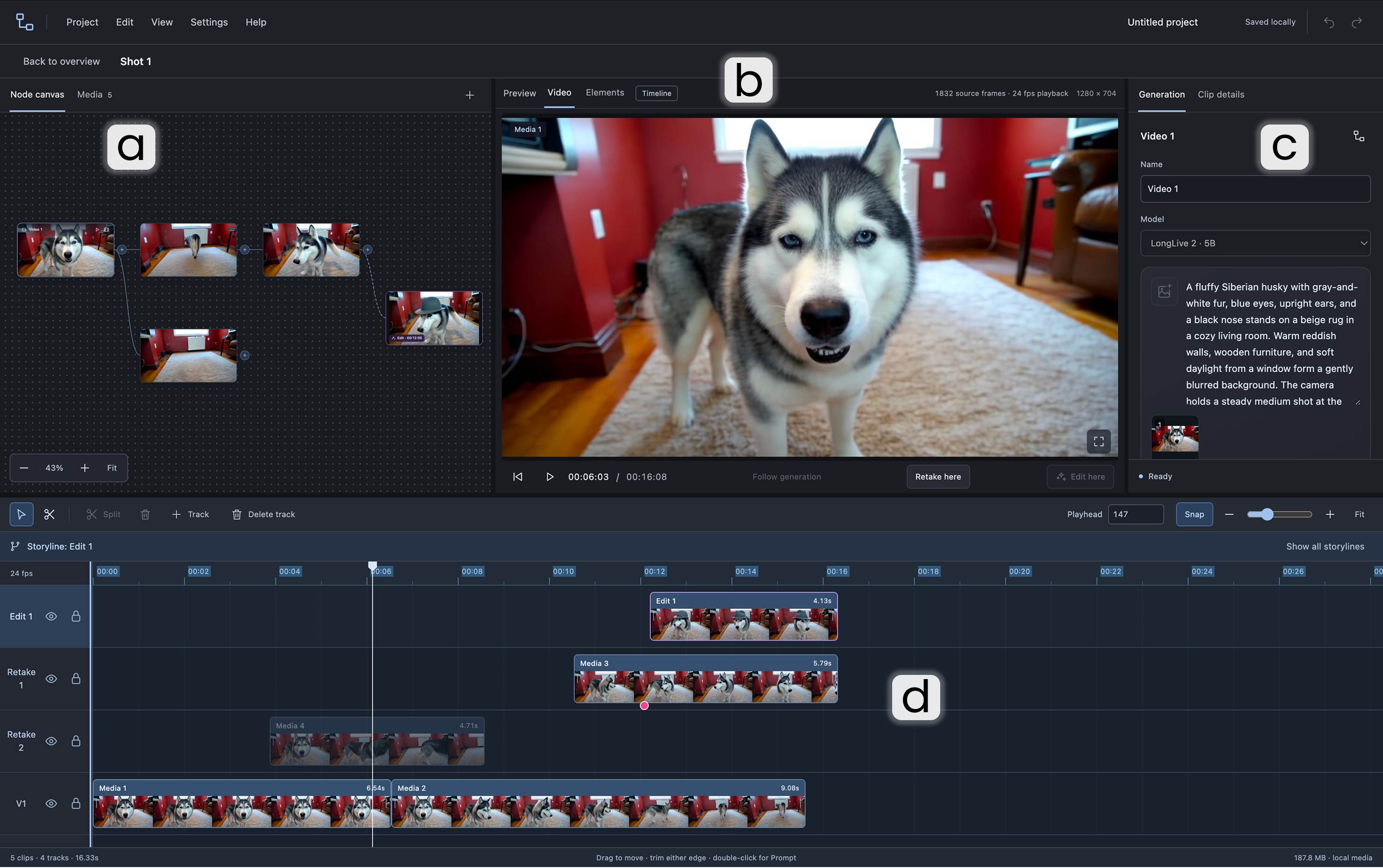
(a) Shot Canvas organizes Action Nodes and branches. (b) Preview follows the playhead and ongoing generation. (c) Action Details holds prompts and generation controls. (d) Timeline aligns generated clips and alternative branches.
One shot, multiple possibilities
Explore a different action or appearance without losing the original continuation. The Shot Canvas shows where alternatives diverge, while the timeline places their clips at the corresponding moments.
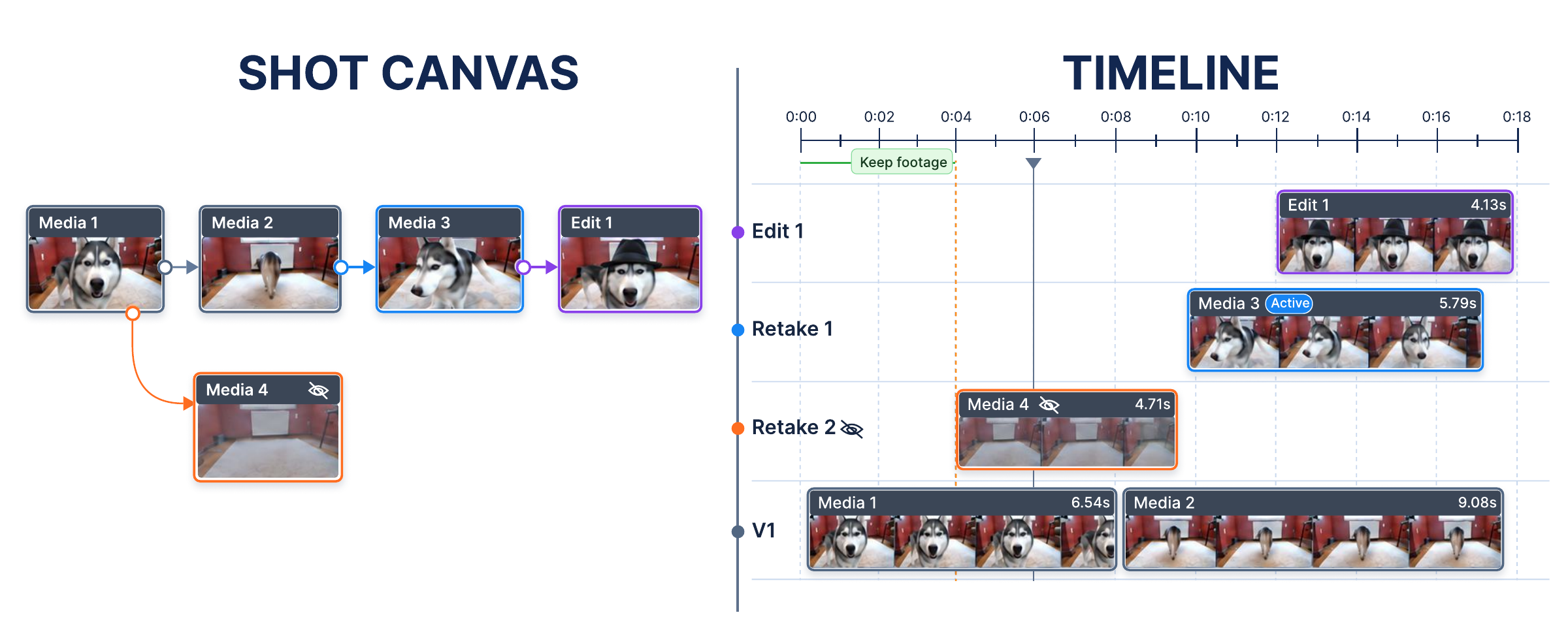
Two views of the same generation history. Each Action Node corresponds to a clip. Selecting a branch reveals its trajectory, while other branches are hidden or visually de-emphasized.
Resume generation with context
A retake needs more than a saved image. StreamStudio checkpoints the model's inference state, including its causal context, so alternative continuations can resume with the preceding visual and motion history.
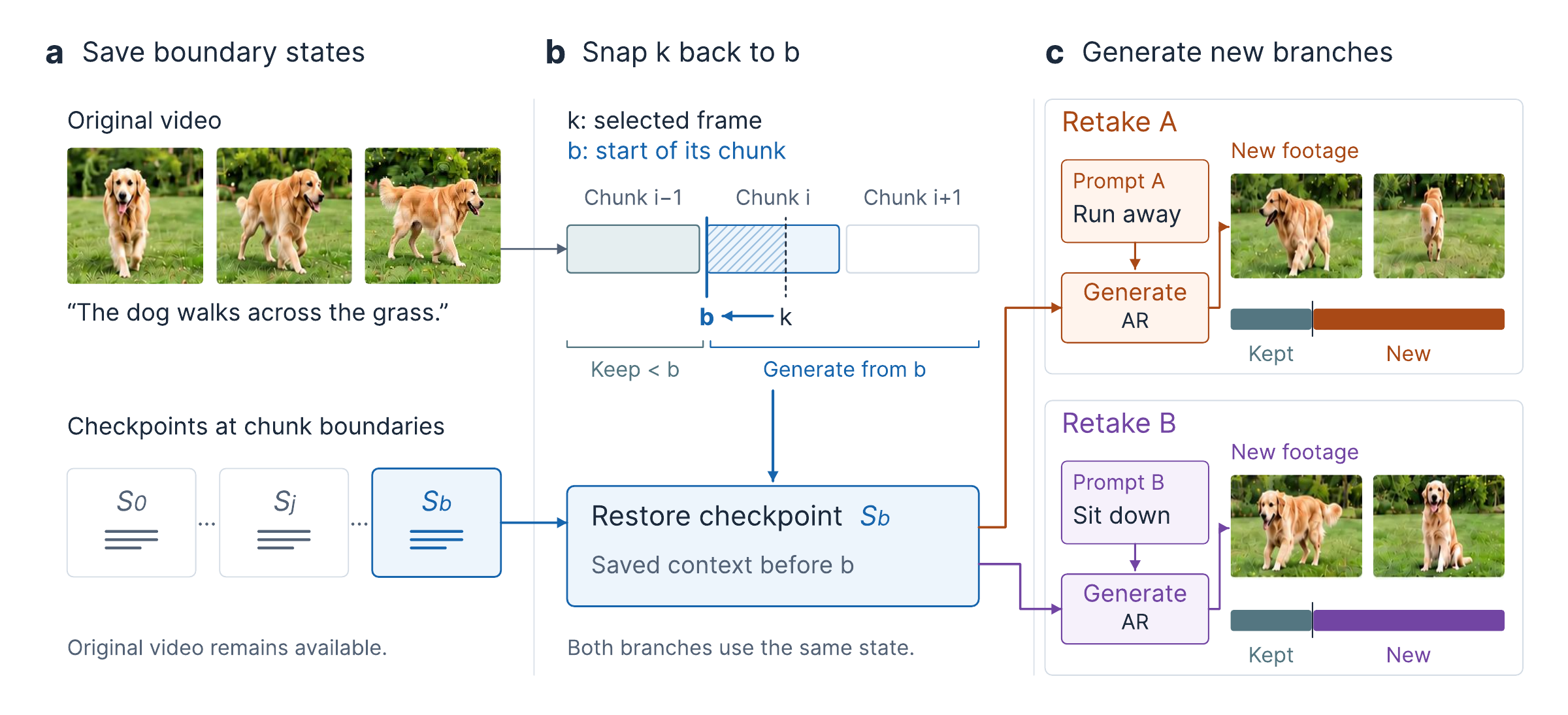
Save, restore, and branch. Checkpoints are stored at chunk boundaries. A selected frame k maps to the start b of its containing chunk; generation resumes from the restored state at b, preserving the earlier prefix and keeping the original video available.